WindowServe buying guides
Motorized Blinds & Shades: A Homeowner's Guide
Motorization can make tall windows, groups of shades, and everyday light adjustments easier to manage. A good system starts with the room rather than the app. Choose the fabric and privacy you need first, then match the motor, power, and controls to the people who will use them. This guide helps you turn broad requests such as “smart shades” into a clear, practical specification.
The short answer
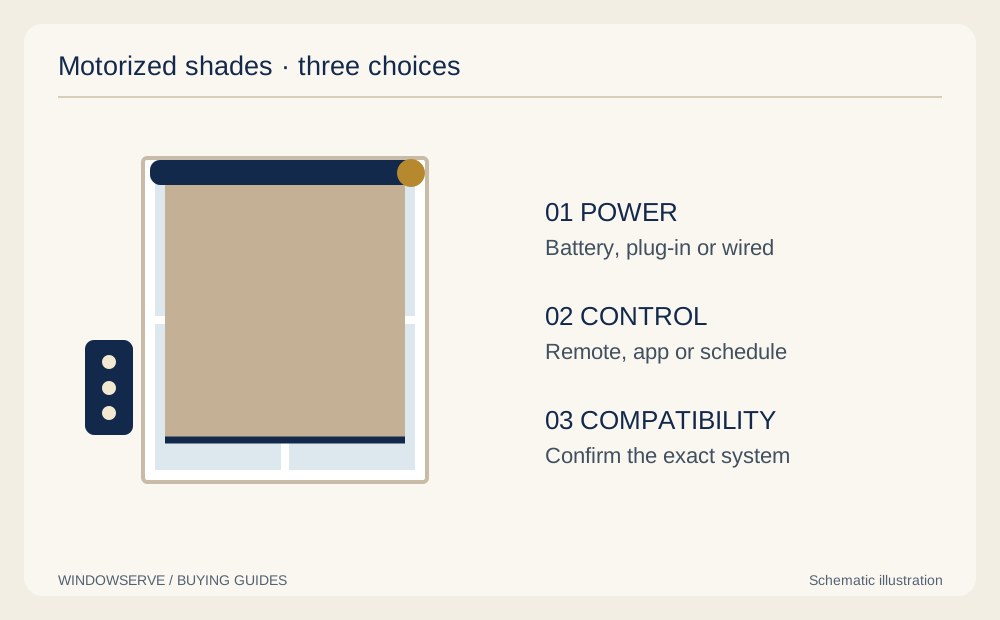
Choose motorized shades in this order: fabric and light control, window fit, power source, everyday controls, and optional smart-home integration. A remote-operated shade does not automatically support your phone, voice assistant, or preferred hub. Confirm compatibility for the exact motor and accessories, along with charging access and operation during an internet outage. Ask for a working demonstration and a written list of included components before ordering, especially when several rooms will be connected.
Before you choose
- Motorized operation and smart-home connectivity are separate features.
- Battery or power access needs planning even when the shade itself is easy to operate remotely.
- Fabric, mounting, and edge gaps still determine privacy and darkness; a motor does not change them.
What motorization changes—and what it does not
A motor moves a treatment that would otherwise require manual operation. Depending on the product, that may mean raising a shade, adjusting a blind, or moving another compatible covering. Clarify the movement you expect: tilting slats and raising the entire blind are different functions.
Norman's motorized range includes several shade constructions, illustrating that motorization is an operating choice rather than one fabric style. Availability depends on the actual product and dimensions.
Motorization does not make a solar screen opaque or close a gap beside a roller shade. It can make the treatment easier to position when needed. Begin by explaining the room's problem—glare, access, privacy, or several daily adjustments—before deciding how sophisticated the control system should be.
Choose fabric and construction before electronics
Compare roller shades for a simple fabric surface, cellular shades for honeycomb construction, and Roman shades when folds and decorative fabric matter. Then verify whether the desired lift system is available in the finished width, height, and material.
Test privacy at the time it matters. A solar shade may preserve a daytime view but need a separate opaque layer after dark. A room-darkening fabric still needs appropriate mounting if side light is a concern. If you need two layers, clarify whether each has its own motor and how each will be controlled.
For a group of windows, decide whether you want identical fabrics everywhere or coordinated materials with different opacity. A street-facing bedroom and a private living room can need different light control even if their headrails and finishes match.
Compare power options with maintenance in mind
Ask which power sources are supported by the exact motor. Graber's motorization guidance describes rechargeable battery and plug-in options, along with controls that can vary by package. Do not assume every system uses the same batteries, connections, or accessories.
| Power approach | Planning advantage | Question to answer |
|---|---|---|
| Rechargeable battery | Can avoid a permanent visible connection to an outlet. | How will you reach the charging point and replace the battery when needed? |
| Plug-in power | Can reduce routine charging tasks where an outlet is suitable. | Where will the cable and transformer sit safely and neatly? |
| Wired system, if supported | May suit a renovation with planned infrastructure. | Who specifies and installs the required wiring and service access? |
Battery duration depends on the system, shade size, use, and conditions. Request the manufacturer's expectation for your configuration rather than treating an advertised best case as a maintenance schedule. If a solar charging accessory is proposed, confirm compatibility and whether that window receives suitable light.
Remote, wand, app, and voice control
Start with the easiest everyday action. A bedside remote may be more convenient than unlocking a phone. A wall-mounted controller may be easier for guests to find. A wand-operated motor may suit someone who wants powered movement without connected features.
App control, schedules, remote access from outside the home, and voice commands are separate requirements. Ask which need an additional gateway, network connection, account, or compatible smart-home platform. Graber's control overview distinguishes local remote operation from gateway-based features; use the documentation for the specific generation you are purchasing.
Write down the actual tasks you want: “close the three living-room shades together,” “operate one bedroom shade independently,” or “open selected shades at a scheduled time.” These are much more useful than a broad request to make everything smart.
Get smart-home compatibility in writing
Give the dealer the exact names of the platforms and devices you already use. Ask for the motor model, communication method, required accessories, and supported functions in the proposed combination. Two products advertised as smart do not necessarily communicate with each other.
- Can the system run the schedules you want, including any sunrise or sunset behavior?
- Which features need the internet, a local network, a gateway, or a cloud account?
- Can household members and guests operate the shades without your phone?
- What happens after a router or network-name change?
- Can you add more compatible shades later, and what limits apply?
A product demo should show the requested function, not just a phone icon on packaging. If a feature is essential, treat unconfirmed compatibility as unresolved before ordering. Avoid assuming that a future software update will supply a missing capability.
Check size, mounting, and access
Each motor and shade combination has dimensional limits. The chosen fabric, tube or headrail, weight, and operating system determine whether a narrow or wide opening can be accommodated. For a wall of glass, compare one large treatment with separate shades that can respond independently to light.
Confirm where the brackets, charging connection, battery, and any gateway will be located. Check window locks and handles, nearby furniture, and the space needed to remove or service the shade. A motor solves the reach needed for daily movement; it does not eliminate the need for safe maintenance access.
Ask how shades will align when installed side by side and whether their lower positions can be adjusted independently. Coordinate those details with the frame and mullions. A neat elevation and a practical service plan should be part of the same installation discussion.
Design useful routines without making the room complicated
Begin with one or two routines tied to a real problem. For example, a hypothetical office could lower its screen shade before the usual glare period and reopen it when the desk is no longer occupied. A living room might use one group button for evening privacy.
Keep an easy manual override through the supported controller. People may want different settings when working late, entertaining, or opening a window. A useful routine should reduce effort, while still allowing an immediate change.
Review schedules when the room's use changes. A shade that automatically closes during a time when you now enjoy the view may be technically working but no longer useful. Choose understandable room and group names, and avoid building unnecessary scenes before you know which daily actions you will actually repeat.
Outages, safety, and other practical limits
Ask what remains available during an internet outage and what happens during a power outage. These are different situations. A compatible battery-powered shade with a local remote may remain usable when cloud features are unavailable, while a mains-powered component may depend on electricity. Confirm the behavior of the actual system.
Do not assume you can pull a motorized shade manually; some mechanisms are not designed for that. Ask for the documented fallback and how to obtain support if the shade stops in an inconvenient position.
CPSC recommends cordless coverings where children live or visit. Motorization can remove a manual operating cord, but power leads and the whole installation still need appropriate placement. Keep necessary window access in mind, and have the installer explain normal operation to everyone who will use the system.
Compare the full cost and support plan
A complete proposal should identify the shade, motor, power source, charger or transformer, controls, gateways, mounting, and setup. Ask whether grouping, schedules, account setup, and a user demonstration are included. If wired preparation is required, clarify who performs it and how it is priced.
Evaluate warranties by component. Ask about the fabric, motor, battery, electronics, labor, service visits, and any exclusions. Keep the model details and purchase information rather than relying on the phrase lifetime warranty to describe every component.
Motorization may offer the most value at hard-to-reach or frequently adjusted windows. You do not have to motorize every opening to make a room practical. A phased approach can work if future compatibility is confirmed instead of assumed.
Your installation-day checklist
Before the installation is considered complete, operate each shade through its intended range and try both individual and group commands. Check that the correct window responds, that stored positions make sense, and that a remote is available where people will look for it.
- Locate the charging or power connections and label accessories by room.
- Confirm the chosen controls and any agreed app or voice functions.
- Review cleaning, battery care, and the approved troubleshooting steps.
- Save model numbers, warranty information, and support contact details.
- Test nighttime privacy separately from movement and automation.
For local selection and installation, explore motorized shades in Des Moines. A WindowServe in-home consultation can help match fabric, fit, power, and controls to the way you use your rooms.
Common questions about motorized shades
Do motorized shades always need Wi-Fi?
No. Some local controls operate without Wi-Fi, while connected features may need a gateway, network, or internet access. Confirm the exact motor and control package and ask which functions remain available during an outage.
Can I add a motor to any existing blind or shade?
Do not assume so. Retrofitting depends on the product's construction, dimensions, hardware, and supported components. Have the existing treatment identified and evaluated before buying a motor or promising smart-home compatibility.
How often will a rechargeable shade need charging?
The interval varies with the motor, battery, shade dimensions, frequency of movement, and conditions. Request the manufacturer's guidance for the proposed configuration and plan access to the charging point before installation.
Can I use both a remote and an app?
Compatible systems may support both, but the required equipment varies. Include the desired remote, gateway, app features, and grouping requirements in the quote, and verify them in a demonstration.
Compare options in your own home
WindowServe offers free in-home consultations in the Des Moines metro, with professional measuring and installation for your project. Bring your questions about privacy, light, materials, and fit; we can compare options at your windows.
Motorized shade selection and installation in Des Moines
Request a free consultationSources and product details
Manufacturer references explain particular products and options. Availability, care instructions, and warranty terms depend on the product selected.